Just a heads up — links on this site may earn WiFi Wise Guys a small commission if you make a purchase, at zero cost to you. Those commissions help keep the site updated with new products and devices. We only link to stuff we'd actually recommend.
Smart Home Resources & How-To Guides

Your smart home
should actually be
smart.

Real guides, honest answers, and a full device library — so you spend less time troubleshooting and more time enjoying the tech you bought.

Read the Blog →
// What's inside
📖
Step-by-Step How-To'sPlain English. No jargon.
📡
30+ Brands CoveredActive & end-of-life devices
🔍
Setup DashboardFind any device, fast
💬
Community Q&AAsk. Get real answers.

Smart home help that
doesn't talk down to you.

Whether you're setting up your first smart bulb or wiring together a full Homey Pro ecosystem — we've got the guides, the device library, and the answers.

🛠️

How-To Guides

Step-by-step walkthroughs for setup, reset, troubleshooting, and integration. Quick answers at the top, deep dives when you need them.

📋

Setup Dashboard

A searchable library of 30+ brands organized by manufacturer and model. Active devices, archived products, and end-of-life guides all in one place.

⚠️

End-of-Life Tracker

Bought a Wemo? Insteon? We document what still works, what doesn't, and what your real options are — no sugarcoating.

Fresh from the guides.

View all guides →
End of Life · Wemo

What Happened to Wemo? Understanding Smart Home End-of-Life Support

Belkin pulled the plug on the Wemo app ecosystem. Here's exactly what your device can still do, what it can't, and whether it's worth replacing.

Coming Soon

How Smart Is YOUR Smart Home, Really?

Alexa turning on lights is just the beginning. Here are the safety and automation features most people never discover.

Coming Soon

Kasa Smart Plug Setup: The Complete Walkthrough

TP-Link's Kasa line is one of the most reliable in the game. Here's how to get it set up right the first time.

Need info on a specific device?
That's what the Setup Dashboard is for.

Search by brand or model number. Find setup guides, reset instructions, app links, and compatibility notes — for current devices and the ones manufacturers forgot about.

Open Setup Dashboard →
// The Problem

Smart home tech got complicated.
The help didn't keep up.

Manufacturers write setup guides for ideal conditions. Forums are full of half-answers from three years ago. Support pages vanish when companies pivot or close. And the people who actually know this stuff? They're hard to find.

Meanwhile, real people are sitting with devices they can't get working, apps that no longer exist, and no clear answer on what to do next.

"Most smart home problems aren't complicated — they just don't have a clear, honest resource pointing you in the right direction. That's the gap we're here to fill."


// Why We Exist

Not here to impress you.
Here to actually help.

WiFi Wise Guys was built out of a simple frustration: too many people claiming to offer help, and not enough people following through on it. This site exists to be the resource that doesn't let you down.

No fluff. No content written to rank on Google and say nothing. No guides that stop halfway through and tell you to "consult a professional." Just real information, written clearly, for people who want to understand what they're working with.

Whether you're setting up your first smart plug or integrating a full Homey Pro ecosystem — you deserve guides that actually get you to the finish line.


// What We Believe

A few things we won't
compromise on.

🎯

Straight answers only

If the answer is simple, we give you the simple answer. If it's complicated, we explain why — and walk you through it.

🔒

We host what we know

Manufacturer links break. Companies close. We keep the information here so you're not chasing dead pages when you need help most.

📴

Honest about end-of-life

If a device is dead, we'll tell you. We document what still works, what doesn't, and what your real options are — no sugarcoating.

🤝

Help first, everything else second

This site exists to be useful. That's the whole point. Everything else — the design, the content strategy, the structure — serves that one goal.


// What's Here

Three things worth
knowing about.

How-To Guides — step-by-step walkthroughs for setup, reset, troubleshooting, and integration across 30+ brands. Quick answers up top, deeper dives when you need them.

Setup Dashboard — a searchable library organized by brand and model number. Active devices, archived products, and end-of-life guides — all in one place, all maintained here.

Community Q&A — ask questions, get real answers. Moderated so it stays useful. No bots, no spam, no noise.

Ready to find what you're looking for?

Start with the guides, search the dashboard, or ask a question. We're here to help — not just say we are.

Read the Blog →

// wifiwiseguys.com / setup-dashboard

Setup Dashboard

Every brand we cover — setup guides, reset procedures, app info, and compatibility notes. Active devices and archived ones too. Search or scroll.

Showing all brands
🔔
Ring Active⭐ Preferred
Security cameras · Video doorbells · Alarm systems · App: Ring
B08N5NQ869
Ring Spotlight Cam Plus (Battery)
1080p HD camera with color night vision, motion detection, built-in spotlight and siren. Solar panel compatible.
↗ Manufacturer
8VD1S7-0EN0
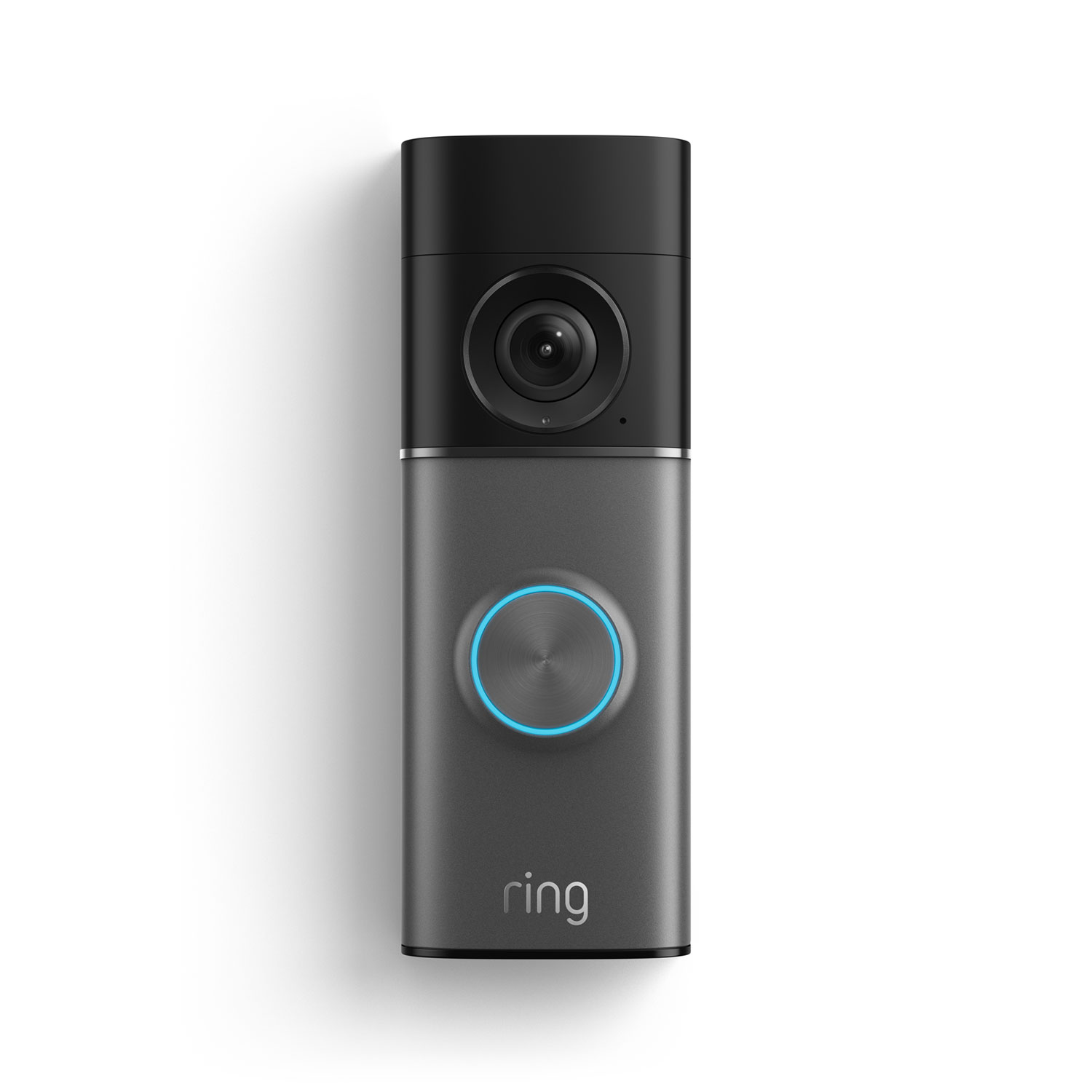
Ring Video Doorbell 4
1080p HD video, color pre-roll, advanced motion detection. Hardwired or battery powered.
↗ Manufacturer
↗ Visit Ring Support
🔌
Kasa (TP-Link) Active⭐ Preferred
Smart plugs · Switches · Bulbs · Cameras · App: Kasa Smart
EP25
Kasa Smart Plug w/ Energy Monitoring
Wi-Fi smart plug with real-time energy monitoring. Works with Alexa, Google Home, and SmartThings.
↗ Manufacturer
↗ Visit Kasa Support
📶
eero Active⭐ Preferred
Mesh WiFi systems · App: eero
J010001
eero 6+
Dual-band WiFi 6 mesh router. Up to 1,500 sq ft per unit. Zigbee hub built in.
↗ Manufacturer
↗ Visit eero Support
🌡️
ecobee Active⭐ Preferred
Smart thermostats · Sensors · App: ecobee
EB-STATE6-01
ecobee SmartThermostat Premium
Built-in Alexa, air quality monitor, smoke/CO alarm detection. Works with Apple Home, Google, SmartThings.
↗ Manufacturer
↗ Visit ecobee Support
💡
My Leviton Active⭐ Preferred
Smart switches · Dimmers · Outlets · App: My Leviton
D215S
Decora Smart Switch (Wi-Fi 2nd Gen)
No-neutral wire option available. Works with Alexa, Google, Apple Home. No hub required.
↗ Manufacturer
↗ Visit Leviton Support
🌈
Philips Hue Active
Smart bulbs · Light strips · Sensors · Bridge hub · App: Philips Hue
BSB002
Hue Bridge (v2)
Required hub for full Hue ecosystem. Controls up to 50 lights.
↗ Manufacturer
↗ Visit Philips Hue Support
🏠
Homey Active
Smart home hub · Zigbee · Z-Wave · Matter · Thread · App: Homey
ATH-1000
Homey Pro (Early 2023)
Supports 50,000+ devices across Zigbee, Z-Wave, Matter, Thread, BLE, IR, and Wi-Fi. Local processing only.
↗ Manufacturer
↗ Visit Homey Support
🔵
Samsung SmartThings Active
Smart home platform · Hub · App: SmartThings
GP-U999SJVLGDA
SmartThings Hub v3
Zigbee, Z-Wave, LAN, and cloud-connected hub. Matter support added via update.
↗ Manufacturer
↗ Visit SmartThings Support
🚗
Chamberlain myQ Active
Garage door controllers · App: myQ
MYQ-G0401
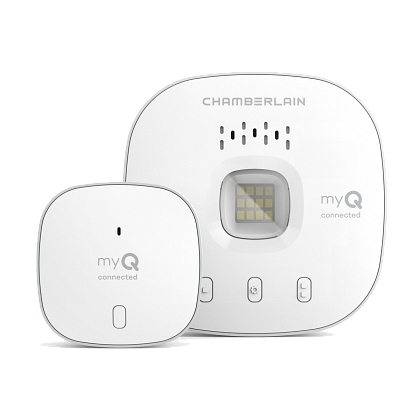
myQ Smart Garage Hub
Adds smart control to most garage door openers made after 1993. Monitor and control from anywhere.
↗ Manufacturer
↗ Visit myQ Support
🌿
Google Nest Active
Thermostats · Cameras · Doorbells · App: Google Home
T3021US
Nest Learning Thermostat (4th Gen)
Learns your schedule, programs itself. Matter support included. Works with Alexa, Google, Apple Home.
↗ Manufacturer
↗ Visit Google Nest Support
🔒
Schlage Active
Smart locks · Deadbolts · App: Schlage Home
BE489WB
Schlage Encode Plus Smart WiFi Deadbolt
Built-in WiFi, no hub required. Apple Home Key compatible. Up to 100 access codes.
↗ Manufacturer
↗ Visit Schlage Support
⚠️
Wemo (Belkin) End of Life
Smart plugs · Switches · App discontinued · Manual control only
📴
App Support DiscontinuedBelkin shut down the Wemo app ecosystem. These devices no longer connect to any app or voice assistant. They function as manual switches only.
F7C030
Wemo Mini Smart Plug
Still works as a manual plug. App control no longer available.
F7C063
Wemo Smart Light Switch
Manual on/off only. No app, no voice control, no scheduling.
🔍

No results found

Try a different search term or clear your filters.